
Training people finish, not just click through
Every HR team knows the pattern. A compliance course goes out, employees open it in a background tab, click “Next” until the end, and the completion report turns green. Everyone is technically trained. Nobody learned anything.
Training Hub is our answer to that problem. It is a brand-new learning module inside SOFFLIX HR that turns mandatory training — security awareness, data privacy, code of conduct, health and safety, onboarding — into short, interactive experiences employees actually engage with, while giving HR the evidence that the training worked.
Build a module in minutes, not weeks
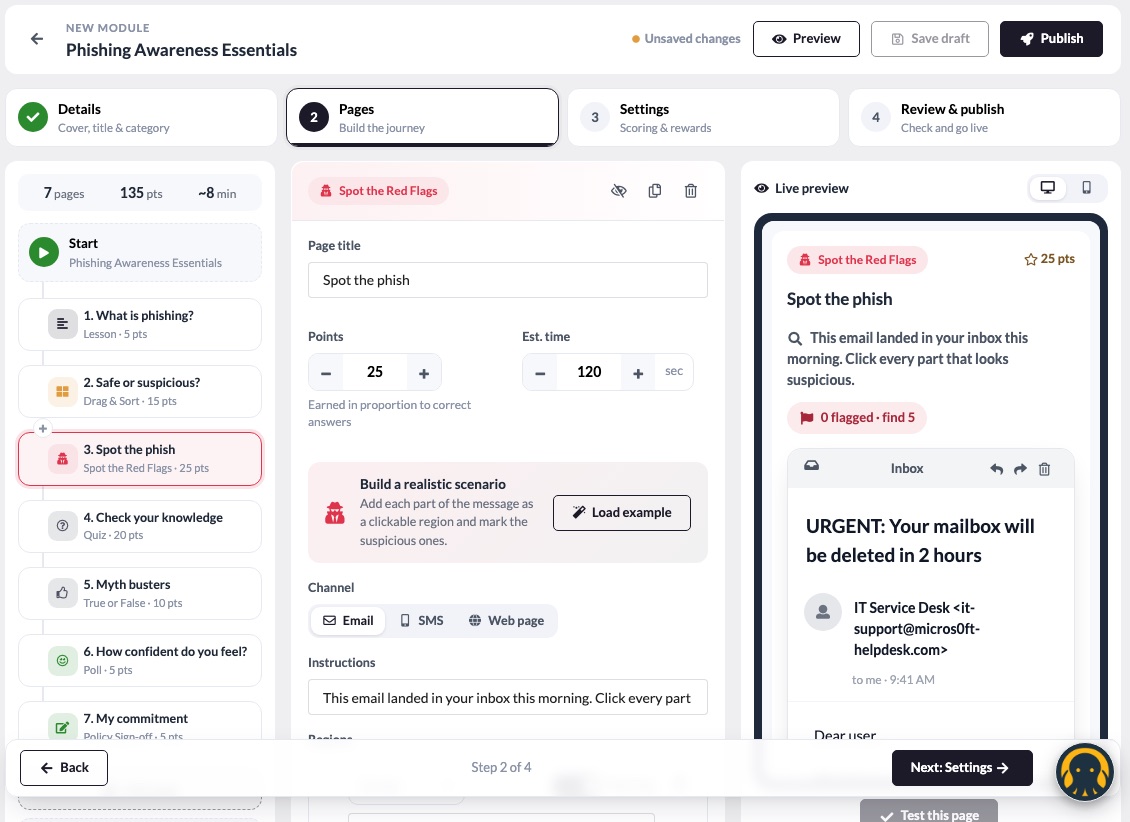
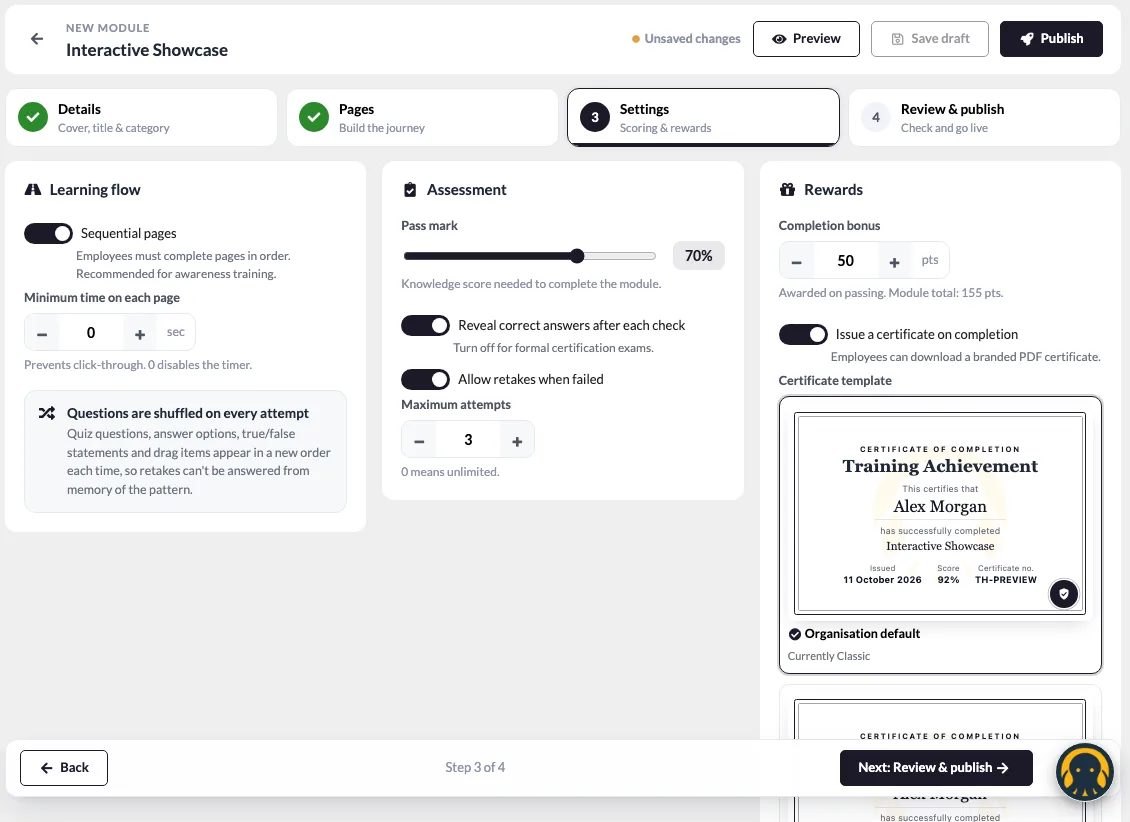
You don’t need an instructional designer or a separate authoring tool. Training Hub’s four-step builder — Details → Pages → Settings → Review & publish — walks you from a blank page to a published module, with a live preview of exactly what employees will see on desktop or mobile.
Each module is a journey of pages, and you choose from 13 interactive page types:
- Learn — rich lessons with key takeaways, videos (YouTube, Vimeo or your own uploads) and policy documents
- Test knowledge — multiple-choice quizzes, true or false, fill-in-the-blanks, matching, put-in-order and drag-and-sort
- Practise — Spot the Red Flags, a realistic email, SMS or web page where employees click on everything suspicious
- Engage — quick polls and sentiment checks, plus a typed-name policy acknowledgement for compliance sign-off
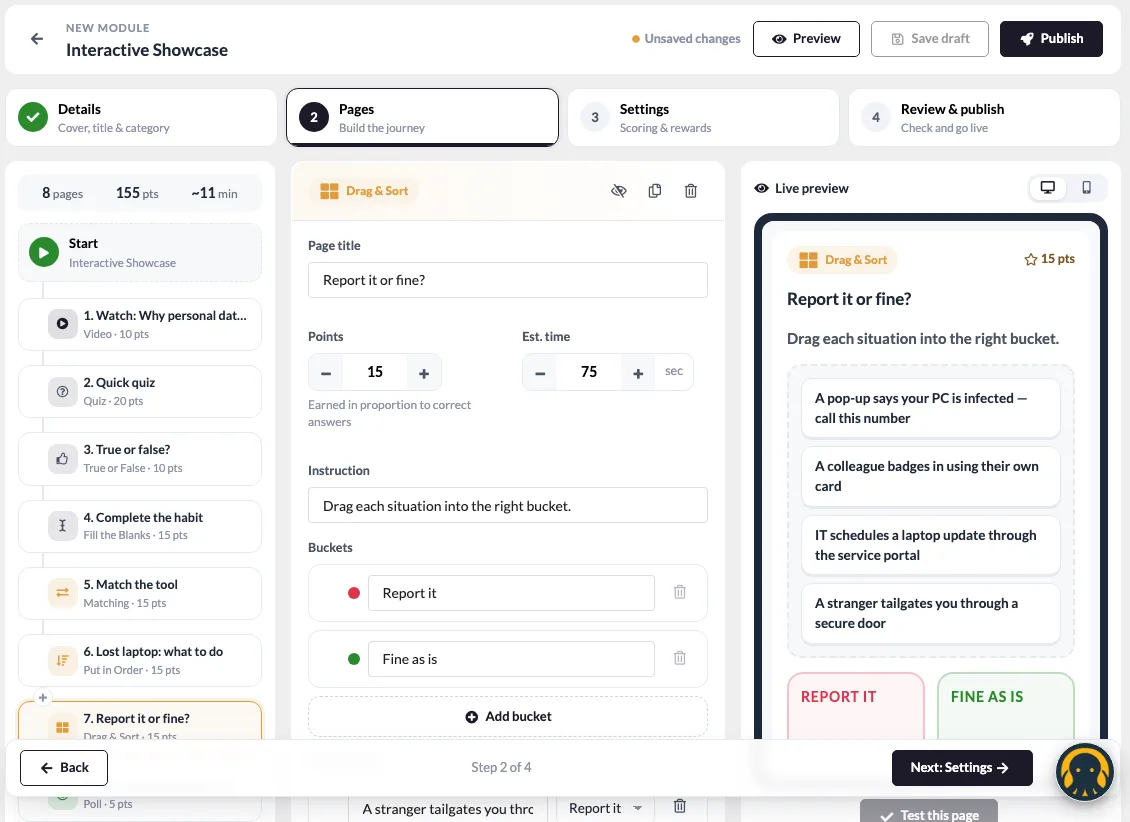
Pages can be reordered with drag and drop, duplicated or hidden, and every page shows its points and estimated time so you always know how long a module takes.
Start from a ready-made example
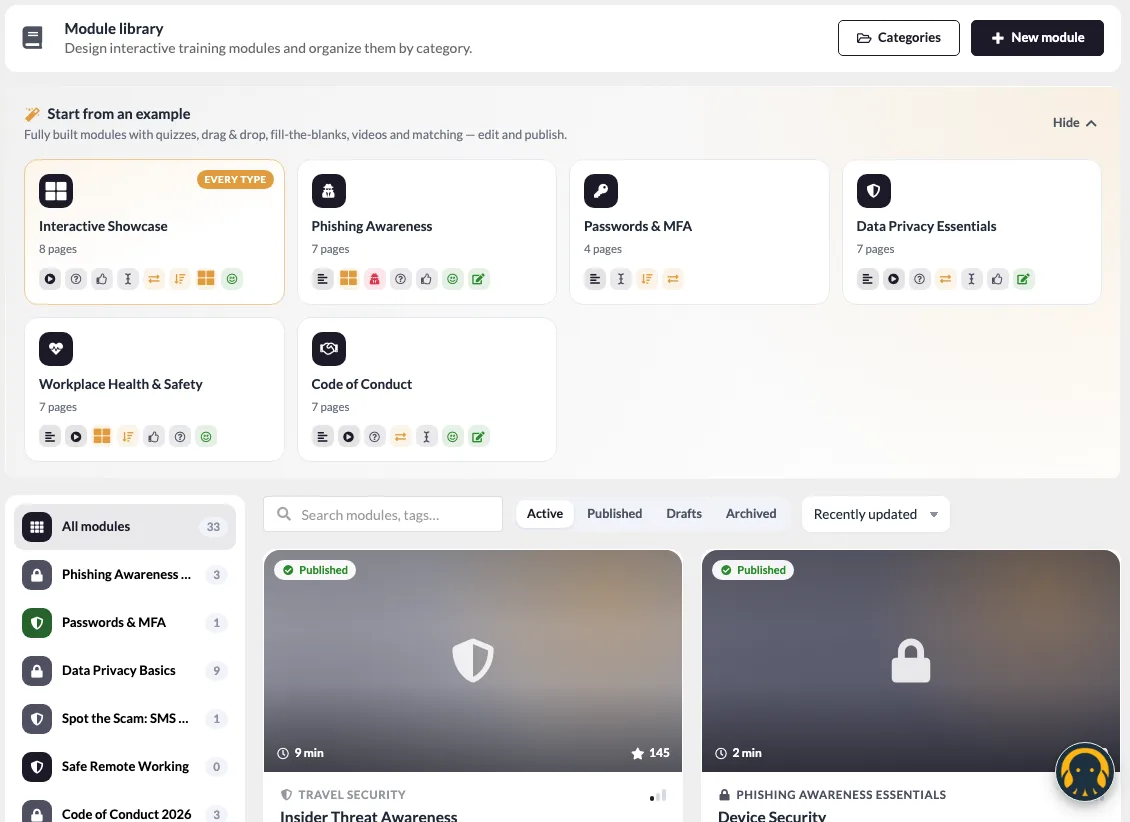
Not sure where to begin? The module library includes fully built examples — Phishing Awareness, Passwords & MFA, Data Privacy Essentials, Workplace Health & Safety, Code of Conduct and an Interactive Showcase of every page type. Open one, adjust it to your policies and publish.
Spot the Red Flags: practice beats theory
Reading about phishing is not the same as recognising it. The Spot the Red Flags page puts a realistic message in front of the employee — a spoofed sender, an urgent subject line, a disguised attachment — and asks them to find every warning sign. Each click is checked instantly with an explanation, so the lesson lands at the exact moment someone gets it right or wrong.
It is the closest thing to a real phishing attempt, without the risk.
Campaigns that run themselves
Modules are assigned through campaigns. Pick one or more modules in order, choose who should take them using the same eligibility rules you already use across SOFFLIX HR (department, location, designation and more), and set a due date. You see the audience size before you launch.
Then let it run:
- Auto-sync — new joiners who match the audience are enrolled automatically
- Automatic reminders — emails a set number of days before the due date and again while training is overdue
- One-click nudges — remind an individual or a whole group straight from the dashboard
Employees get an experience they enjoy
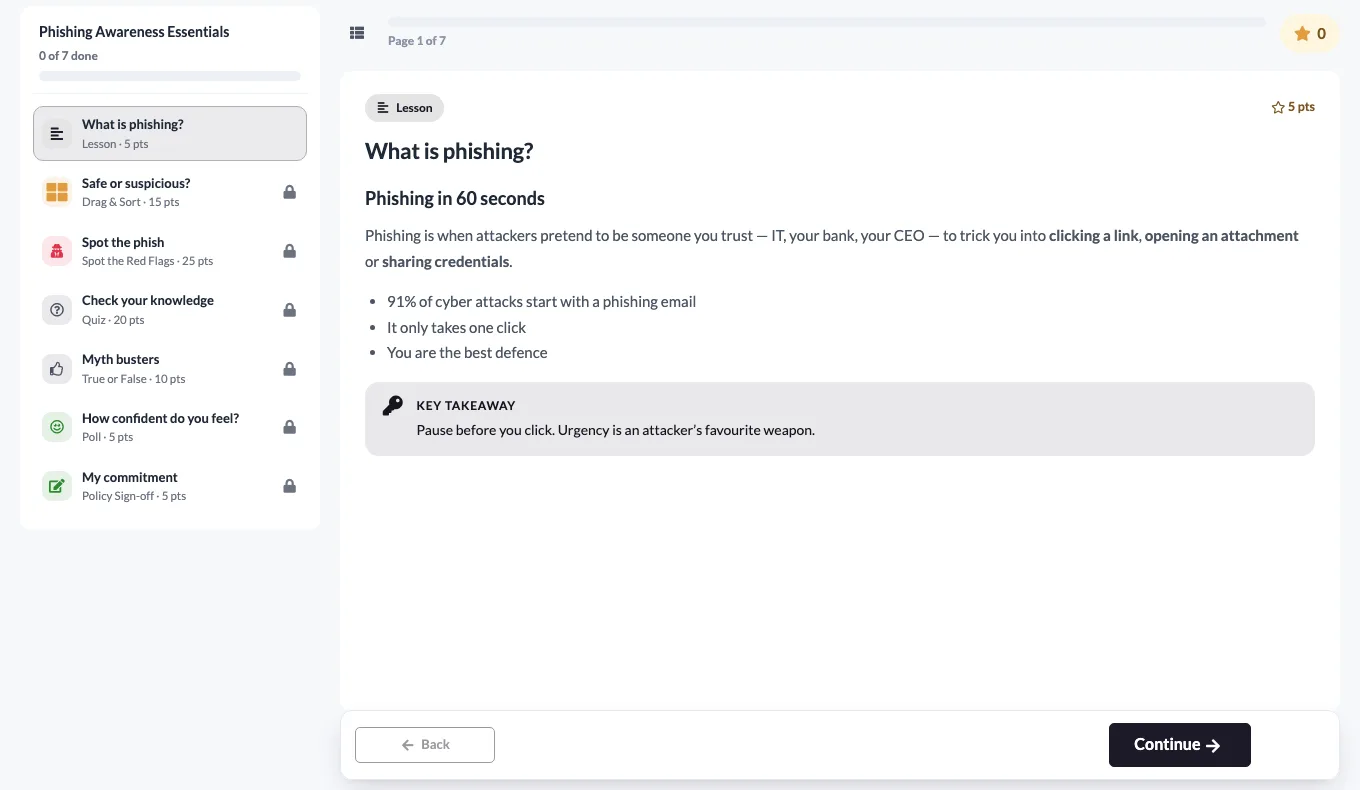
The employee player is designed to feel more like an app than a slide deck. Pages unlock one by one, answers get instant feedback, and every correct answer earns points.
Motivation is built in, not bolted on:
- Points, levels and streaks that grow with every page completed
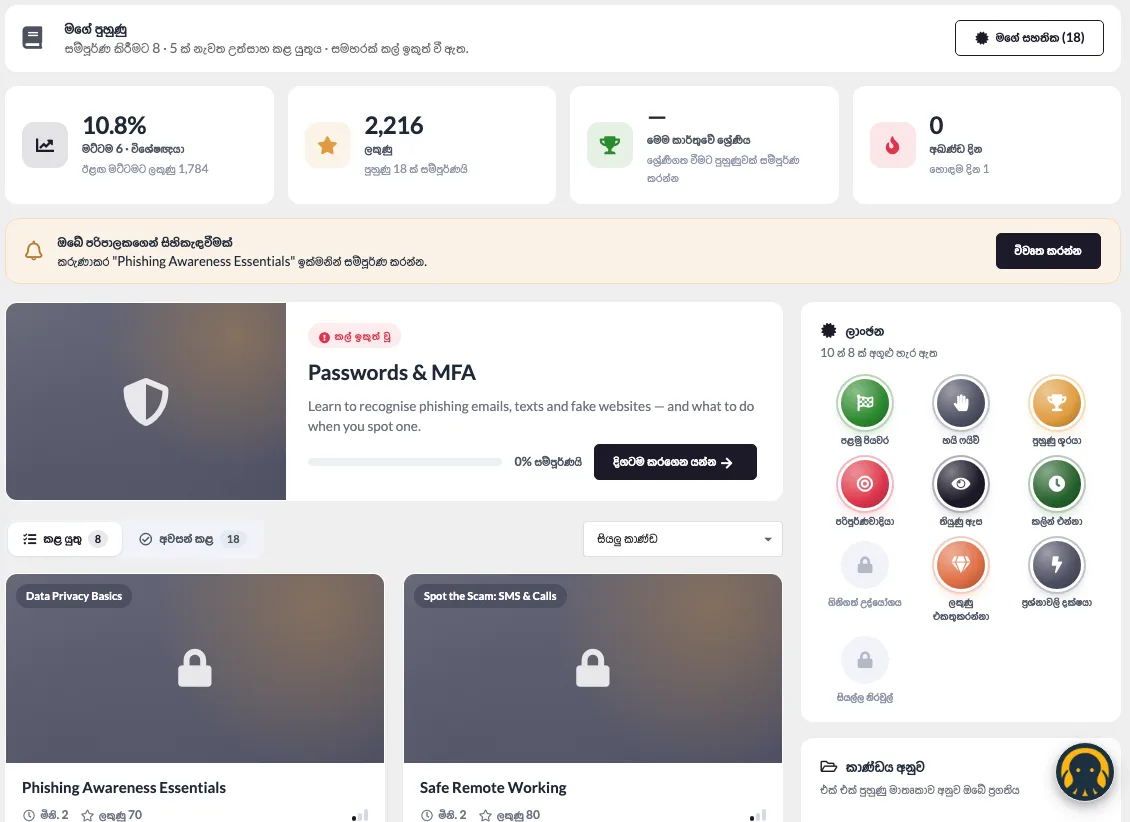
- Ten badges — from First Steps to Training Champion, Perfectionist and Sharp Eye — earned automatically
- Leaderboards by month, quarter and year, so friendly competition stays fresh
- Certificates that employees can view and download as a PDF the moment they pass
- A star rating and comment at the end of every module, so you hear what people really think
Proof that the training worked
Completion rates alone don’t tell you whether people understood anything. Training Hub’s dashboards go further:
- Training overview — published modules, active campaigns, completion trend, average knowledge score and an overdue watchlist with one-click nudges
- Module insights — a page-by-page drop-off funnel, the most-missed questions, time spent per page and learner feedback
- Employee progress — every employee’s assignments, scores, attempts and answers, page by page
- Certificate register — every certificate issued, with filters, validity tracking and instant PDF download for audits
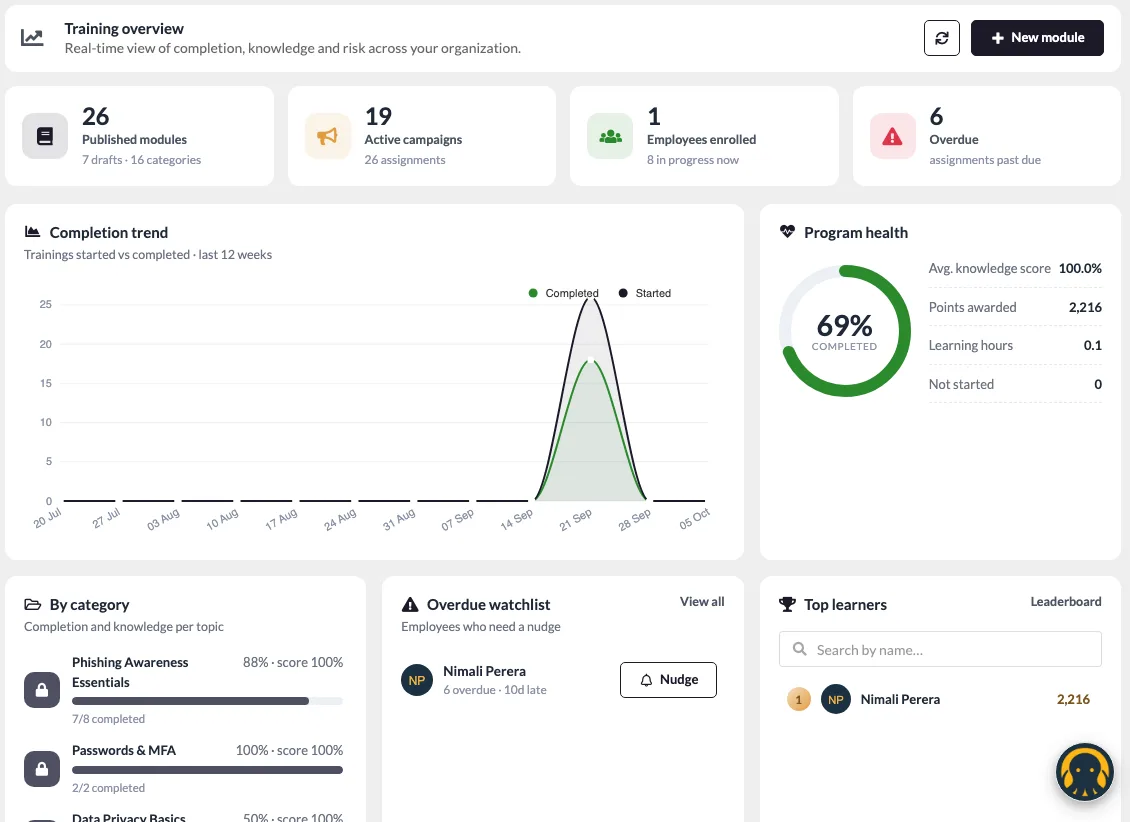
When you can see that half your team missed the same question about MFA, you know exactly what to fix in the next campaign.
Built to be fair, honest and audit-ready
Training only counts if the results are real. Under the hood, Training Hub is built for integrity:
- Answers are graded on the server — the correct answers never reach the employee’s browser, so there is no shortcut to a perfect score
- Question order is shuffled for every attempt
- Minimum time per page and minimum video watch percentage stop people skipping through
- Focus tracking shows when someone left the training tab mid-page
- Version snapshots — when you edit and republish a module, employees halfway through keep the version they started, so their progress never breaks
- Timestamped records of every attempt, score, acknowledgement and certificate for compliance audits
How Training Hub is different
Most HR platforms treat training as a list of links to watch and a checkbox to tick. Standalone awareness tools are engaging, but they live outside your HR system — another login, another employee list to keep in sync, another report to export.
Training Hub combines both:
- Native to SOFFLIX HR — the same employees, departments, permissions and eligibility rules you already manage. No CSV uploads, no separate user sync.
- Interactive by design — 13 page types and phishing practice, not just videos and PDFs
- Measures knowledge, not attendance — knowledge scores and most-missed questions alongside completion
- Engagement built in — points, badges, leaderboards and certificates without extra tools
- Honest results — server-side grading and anti-skip controls you can trust in an audit
Friendly for every user
We designed Training Hub so nobody needs training to use the training tool:
- For HR and admins — a guided builder, ready-made examples, a review checklist that catches mistakes (like a quiz with no correct answer) before you publish, and a one-click “Preview as employee”
- For employees — a clear My Trainings page that shows what’s due, what’s overdue and what’s done, with progress per category
- In your language — the full experience works in English and Sinhala
- In your brand — follows your organisation’s theme colour and supports dark mode, with certificate templates and wording you control
Certificates your team will be proud of
Choose from Classic, Modern and Minimal certificate designs, set your organisation’s wording, logo and watermark, and optionally give certificates a validity period so annual refreshers are tracked automatically.
Frequently asked questions
What kind of training can I run in Training Hub?
Anything you need employees to learn and acknowledge: security awareness and phishing, data privacy, code of conduct, health and safety, policy updates, onboarding and product knowledge.
Can I use my own videos and documents?
Yes. Add YouTube or Vimeo links, or upload your own videos, images and PDF documents directly into a module.
How are employees assigned to training?
Through campaigns, using the same eligibility rules as the rest of SOFFLIX HR. With auto-sync turned on, new employees who match the audience are enrolled automatically.
Can managers see who hasn’t completed their training?
Yes. The overview dashboard highlights overdue employees, and admins can send reminders individually or in bulk. Automatic reminder emails can run before and after the due date.
Does it support languages other than English?
Training Hub is fully available in English and Sinhala.
Get started with Training Hub
Training Hub is part of the Training LMS module in SOFFLIX HR. Existing customers can talk to their account manager to switch it on. New to SOFFLIX HR? See pricing or get started to see Training Hub in action.
Questions? Reach out to us at support@sofflixhr.com.